
Using Stremio Web on iPhone / iPad

You can now use Stremio Web on iPhone and iPad, which offers a more complete experience than the Stremio Organizer app which is available in the App Store.
Important: Stremio Web will still not be fully featured without connecting it to Stremio Service (which is unavailable for iOS at this point), some missing features include: converting videos to support the browser, torrent streaming, etc
Note: Alternatively, there are also official IPA files available for download on the official Stremio website, these IPA files can be sideloaded on iOS / iPadOS / Apple TV devices for a fully featured Stremio app
In this article we will go through the best scenario of using Stremio Web on iOS without connecting it to Stremio Service, our goals for this article are:
– installing the PWA to show on Home Screen
– disabling the “server not connected” warning
– logging in to Stremio Web
– changing the “Play in external player” setting
– installing a video player (if not already installed)
In order to make Stremio Web show on your Home Screen for easy access at all times, you will need to install the PWA. In order to do this, open Stremio Web with the Safari browser (this is the only browser that supports PWAs), then press the following two buttons:
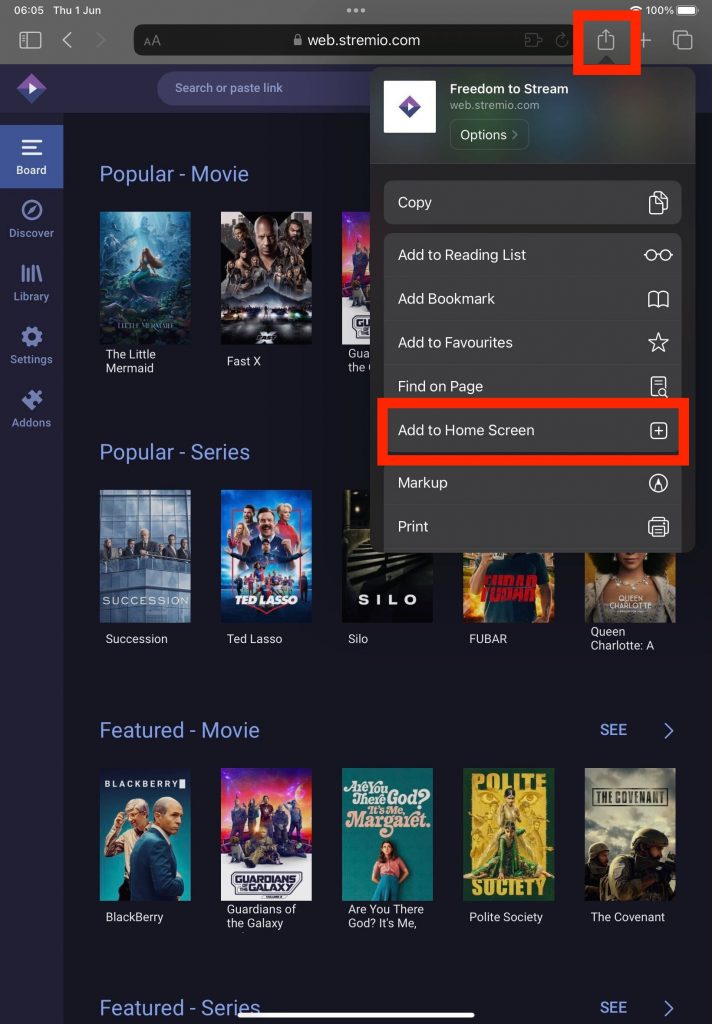
Now let’s open Stremio Web from your device Home Screen (from ur iPhone or iPad device). You will probably notice the “Streaming server is not available” warning:

Simply press “Don’t show again” (as this article is for using Stremio Web without the server attached), now let’s log in by pressing this button:
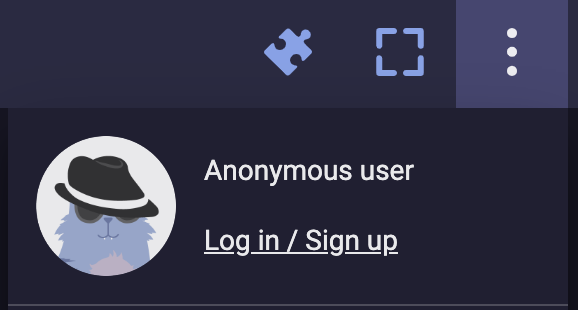
After you logged in, go to the settings page:
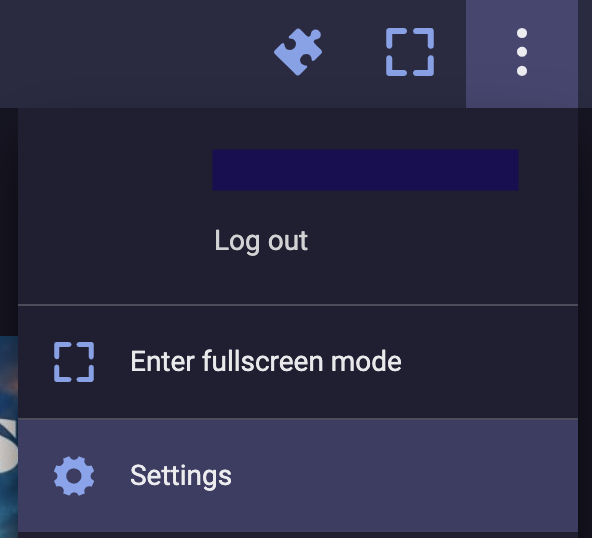
And scroll down to the “Streaming” setting:

Click add URL: https://stremio-server.cjoa.net
Click the checkbox (ok) and select the server that was added and click reload.
Server should have green icon showing its active.
That’s it! You should now be able to use Stremio Web on your iPhone or iPad device.
Optional if having player issues
scroll down to the “Play in external player” setting:
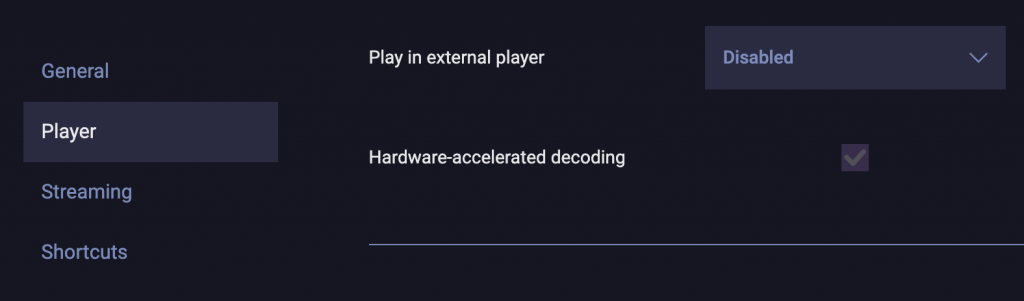
Change the value from “Disabled” to one of the supported iOS video players: VLC and Outplayer
After making the selection, you should also ensure that the video player that you chose is installed on your device.
**SELFHOSTERS**
For more advanced usage, you could also run Stremio Service on a Desktop device in your home and connect it to Stremio Web (from the settings page) in order to get torrent streams and playback in browser working as well.
Stremio Web and Stremio Service are both fully open source projects, and can be found on the following github pages: